

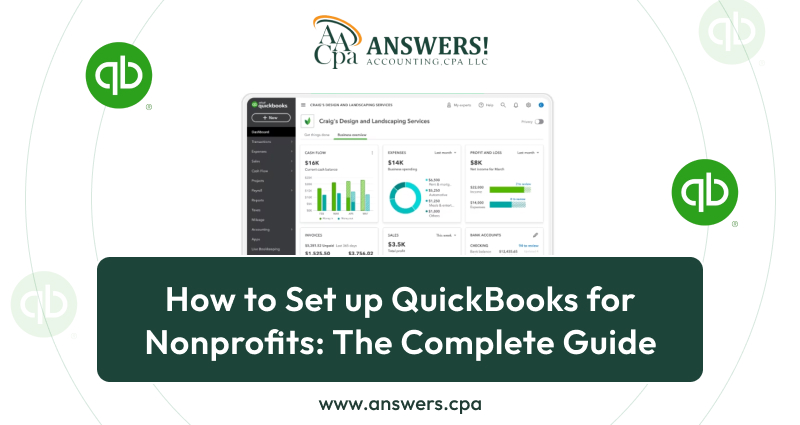
How to Use QuickBooks for Nonprofits in 2025
Managing money in a nonprofit can be tricky. Unlike regular businesses, nonprofits need to track donations, grants, program expenses, and compliance reports. That’s where QuickBooks for nonprofits comes in.
QuickBooks is one of the most trusted tools for small businesses, but many people don’t realize how powerful it is for nonprofit organizations. With the right setup, it can become the backbone of your financial management, helping you keep clear records, run reports, and stay accountable to donors and boards.
This guide walks you through everything you need to know: why QuickBooks works so well for nonprofits, how to set it up, and how to get the most out of it.
Why Nonprofits Need Accounting Software
Running a nonprofit means you’re juggling multiple responsibilities. You’re raising money, running programs, paying staff, and making sure every dollar is used wisely.
Doing all this with spreadsheets or basic tools quickly gets messy. Nonprofits need more:
- • The ability to track donations from different sources.
- • Reports that show how money is being used for each program.
- • Tools to stay compliant with IRS or local reporting rules.
- • Clear records for grant applications and renewals.
This is where non profits accounting software makes life easier. Instead of worrying about lost receipts or confusing spreadsheets, accounting software organizes everything in one place.
Among the different tools available, QuickBooks nonprofit software stands out. It’s flexible, affordable, and designed to handle both business and nonprofit needs.
What Makes QuickBooks Ideal for Nonprofits
Many nonprofits wonder why they should choose QuickBooks over other software for nonprofits accounting. The answer lies in how QuickBooks adapts to nonprofit needs. Here’s a closer look:
1. Built for Fund Accounting
Unlike regular businesses that track profits, nonprofits must track funds. QuickBooks allows you to separate restricted and unrestricted funds, assign classes to programs, and create reports that show exactly how funds are being used.
2. Customizable Chart of Accounts
Nonprofits use categories different from businesses—like donations, grants, and program expenses. QuickBooks lets you fully customize the chart of accounts to match nonprofit reporting standards.
3. Donor and Grant Tracking
QuickBooks makes it easy to set up donors as “customers” and record pledges or contributions. You can track grants as separate classes or jobs, ensuring every penny is spent according to restrictions.
4. Nonprofit-Specific Reporting
QuickBooks nonprofit edition includes ready-made reports such as:
- • Statement of Financial Position (nonprofit balance sheet)
- • Statement of Activities (income and expense report)
- • Statement of Functional Expenses (program vs admin vs fundraising costs)
These reports are not just nice to have—they’re essential for compliance, grant applications, and board meetings.
5. Easy for Non-Accountants
Many nonprofits rely on volunteers or staff without formal accounting training. QuickBooks is simple to learn, with user-friendly dashboards and automation that reduce mistakes.
6. Integration with Other Tools
QuickBooks integrates with donor management software, CRMs, and payroll systems. This means you can connect fundraising, HR, and accounting in one smooth workflow.
7. Cloud and Desktop Options
Whether you prefer the cloud (QuickBooks Online) or local storage (QuickBooks Desktop Nonprofit Edition), there’s a version for you. This flexibility makes QuickBooks a fit for small nonprofits and large organizations alike.
When you combine these features, it’s clear why QuickBooks non profit is considered one of the best accounting software for nonprofit organizations. It balances affordability, flexibility, and compliance in a way few other programs can.
QuickBooks Versions for Nonprofits
If you search for QuickBooks, you’ll find multiple versions. Which one should a nonprofit use? Let’s break it down.
1. QuickBooks Online
- • Cloud-based, meaning you can log in from anywhere.
- • Great for nonprofits with remote teams or volunteers.
- • Automatic updates and backups.
- • Offers integrations with donation tools and apps.
2. QuickBooks Desktop Premier Nonprofit Edition
- • Special edition built for nonprofits.
- • Includes nonprofit-specific reports and features.
- • Best for organizations that prefer local storage over the cloud.
3. QuickBooks Enterprise Nonprofit Edition
- Designed for larger nonprofits with complex needs.
- Handles multiple users and advanced reporting.
- Comes at a higher cost but worth it for bigger organizations.
4. QuickBooks Online with Nonprofit Customization
- • Even if you don’t use the nonprofit edition, you can customize QuickBooks Online to fit nonprofit needs.
Whether you pick QuickBooks for non profit in desktop or online form depends on your budget, staff size, and whether you want cloud access.
Step-by-Step: How to Set Up QuickBooks for Nonprofits
Here’s where we get practical. Setting up QuickBooks the right way from the start will save you hours of frustration later.
Step 1: Choose Your Version
Pick between QuickBooks Online or Desktop. For most small to mid-sized nonprofits, QuickBooks Online works best.
Step 2: Create Your Chart of Accounts
The chart of accounts is the backbone of accounting. For nonprofits, this should include:
- • Assets (cash, bank accounts, grants receivable)
- • Liabilities (loans, credit cards)
- • Net Assets (unrestricted, temporarily restricted, permanently restricted)
- • Income (donations, grants, fundraising events)
- Expenses (program expenses, management, fundraising)
QuickBooks nonprofit software makes it easy to customize these categories.
Step 3: Set Up Classes for Programs and Funds
Nonprofits often run multiple programs. Use QuickBooks classes to separate them. For example:
Class 1: Food Pantry Program
Class 2: Youth Education Program
Class 3: General Administration
This way, you can see exactly how much each program costs.
Step 4: Enter Donors and Pledges
Set up donors as customers. Add pledges, recurring donations, or grants as invoices or sales receipts. This helps you track giving history.
Step 5: Record Donations Properly
Donations can be restricted (for a specific program) or unrestricted (general use). Record them carefully so you don’t mix funds.
Step 6: Connect Bank Accounts
Link your bank accounts and credit cards to QuickBooks. This ensures transactions are imported automatically, saving time and avoiding errors.
Step 7: Set Up Budgets
Create program-specific budgets. For example, if your food pantry has a $50,000 annual budget, you can track how much has been spent each month.
Step 8: Customize Reports
QuickBooks nonprofit edition comes with built-in reports like:
- Statement of Financial Position (balance sheet for nonprofits)
- Statement of Activities (income and expense report)
- Statement of Functional Expenses (breaks down spending by program, management, and fundraising)
These reports help you stay compliant and ready for board meetings.
Best Practices for Accounting with QuickBooks
Once you’ve set up QuickBooks, the next step is making sure you use it well. Here are some best practices:
Separate Personal and Nonprofit Finances
Never mix your nonprofit’s money with personal funds. QuickBooks helps keep everything separate.
Use Classes and Tags Consistently
Every transaction should be tagged with a class or fund. This ensures accurate reports.
Reconcile Accounts Monthly
Always match QuickBooks records with your bank statements. This prevents errors and keeps records accurate.
Automate Where Possible
Set up recurring transactions for rent, utilities, or payroll. This saves time.
Train Your Team
Volunteers and staff may not have accounting backgrounds. Provide basic QuickBooks training so they can enter data correctly.
Keep Audit Trails
Nonprofits often face audits. QuickBooks keeps detailed logs of every transaction, making audits smoother.
QuickBooks vs Free Accounting Software for Nonprofits
You may wonder if you should use accounting software for non profit organization free instead of paying for QuickBooks. Free tools exist, but they often come with limits.
Free Software Pros:
- No upfront cost.
- Basic bookkeeping features.
Free Software Cons:
- Limited reporting (often not nonprofit-friendly).
- No integrations with donation or payroll tools.
- Harder to scale as your nonprofit grows.
QuickBooks, while not free, is worth the investment because it saves time, reduces errors, and provides the kind of reports nonprofits need to stay compliant.
If you want professional-grade software for nonprofits accounting, QuickBooks is a smarter long-term choice.
Common Mistakes Nonprofits Make with QuickBooks
Even with the best software, mistakes can happen. Here are the big ones to avoid:
Not Customizing the Chart of Accounts
Using a default chart without tailoring it for nonprofit needs creates confusion.
Mixing Restricted and Unrestricted Funds
If you don’t separate these, you’ll have reporting problems and compliance risks.
Ignoring Class Tracking
Without classes, you can’t see how much each program costs.
Skipping Monthly Reconciliation
Small errors snowball into big problems if you don’t reconcile monthly.
Not Using Budgets
Budgets help nonprofits stay on track. Without them, overspending is common.
Benefits of QuickBooks for Nonprofit Organizations
Using QuickBooks nonprofit software gives nonprofits tools they can’t get from basic spreadsheets or generic accounting systems. Here are the major benefits explained in detail:
1. Accurate Fund Tracking
Nonprofits often handle multiple streams of income—grants, donations, membership fees, or event revenue. QuickBooks lets you set up funds, classes, or tags so each dollar is assigned to the right purpose. You’ll always know exactly how much money is available for a program or project.
2. Clear Donor Management
Donors want transparency. With QuickBooks, you can record every donation, link it to a donor, and run contribution statements. This makes it simple to thank supporters, track giving history, and prepare reports for fundraising campaigns.
3. Professional Financial Reports
Boards, auditors, and grant providers need accurate reports. QuickBooks creates nonprofit-specific reports such as the Statement of Activities or Statement of Functional Expenses. These reports help you prove that your organization uses funds responsibly.
4. Time and Cost Savings
By automating bank feeds, recurring transactions, and payroll, QuickBooks reduces manual work. That means fewer errors, faster reconciliations, and more time to focus on your mission. Compared to hiring a large finance team, QuickBooks offers a cost-effective way to stay organized.
5. Compliance and Audit Readiness
Nonprofits are often audited or required to submit detailed filings. QuickBooks keeps an audit trail of every transaction and makes compliance reports easy to generate. Instead of scrambling during audits, you’ll have everything ready in one place.
6. Scalability for Growth
As your nonprofit grows, QuickBooks grows with you. Whether you’re managing a few donors or thousands, QuickBooks can handle the volume. You can even integrate it with donor management or fundraising platforms for more advanced needs.
In short, QuickBooks doesn’t just help with bookkeeping. It strengthens trust with donors, supports better decision-making, and makes nonprofits more efficient and accountable.
Advanced Tips for Nonprofits Using QuickBooks
Once you’ve mastered the basics, you can take QuickBooks further.
Integrate with Donor Management Systems
Tools like DonorPerfect, NeonCRM, or Kindful can connect to QuickBooks, giving you a full picture of donors and finances.
Automate Acknowledgement Letters
Use QuickBooks to generate donor receipts and thank-you letters.
Use Classes for Grant Tracking
If you manage multiple grants, track each one separately with classes.
Leverage Reporting for Fundraising
Show potential donors and grant-makers professional financial statements to boost trust.
Prepare for Audits Early
Use QuickBooks audit logs and detailed reports to stay ready for external reviews.
Is QuickBooks the Right Accounting Program for Your Nonprofit?
Not every nonprofit is the same. Some may need a simple tool, while others need advanced features. QuickBooks offers the balance of affordability and power.
If your nonprofit is small and just starting, QuickBooks Online Essentials may be enough. If you’re mid-sized or larger, QuickBooks Premier or Enterprise Nonprofit Edition could be better.
But no matter the size, QuickBooks gives you something free tools can’t: confidence that your nonprofit’s finances are accurate, compliant, and ready for growth.
Building a Stronger Nonprofit with QuickBooks
Here’s the truth: running a nonprofit is tough enough without messy finances. By setting up QuickBooks for nonprofits, you give your organization clarity, accountability, and efficiency.
From tracking donations to creating compliance-ready reports, QuickBooks ensures your nonprofit is always prepared. It doesn’t just organize numbers—it builds trust with donors, helps boards make better decisions, and allows you to focus on what really matters: your mission.
If you’ve been searching for reliable accounting software for nonprofit organizations, QuickBooks is a proven choice. With the right setup, it can take the stress out of bookkeeping and free up more energy for changing lives.
FAQs
1. Is QuickBooks good for nonprofits?
Yes. QuickBooks has nonprofit-specific editions and customization options, making it one of the best accounting tools for nonprofit organizations.
2. What’s the difference between QuickBooks for business and QuickBooks nonprofit?
The nonprofit edition includes reports and features tailored for donations, grants, and fund tracking, which standard business versions don’t emphasize.
3. Can I use QuickBooks Online for nonprofits?
Absolutely. QuickBooks Online can be customized with classes, tags, and donor tracking to work effectively for nonprofits.
4. Is there free accounting software for nonprofits?
Yes, but free options often lack advanced features. QuickBooks is a better long-term solution because of its reporting, integrations, and compliance tools.
5. Do I need an accountant if I use QuickBooks?
QuickBooks makes bookkeeping easier, but having an accountant or bookkeeper ensures accuracy, compliance, and better use of the software.